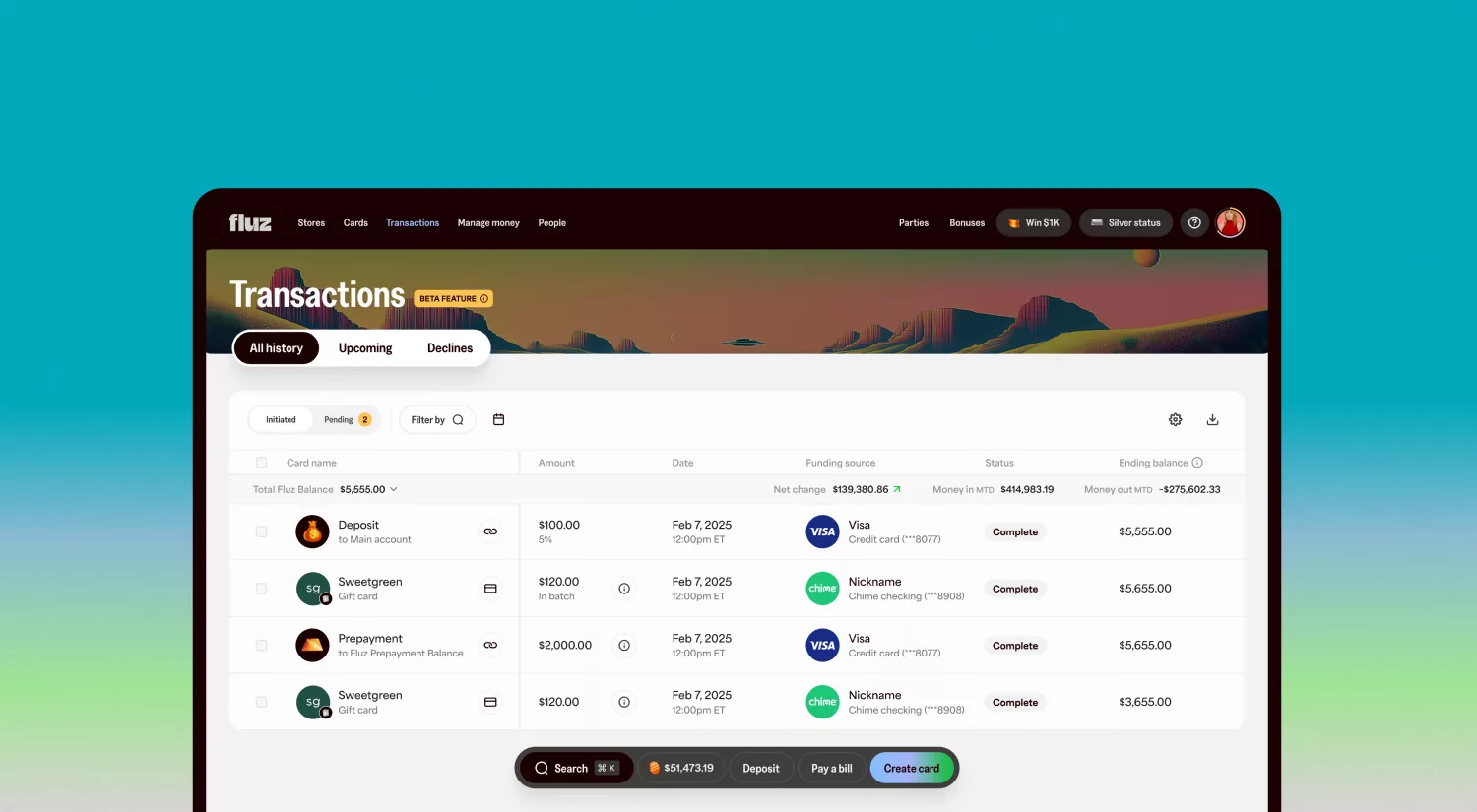
At Fluz, we know that being in control of your money means being in control of your data, and having access to your full transaction history should be effortless.
That’s why we’ve enhanced the Transactions experience on our web portal. You can now export your transactions directly to a .csv file, giving you a clean, customizable way to review your history, reconcile spend, and track rewards.
A feature-rich, data-driven experience for tracking and managing transactions
Whether you’re using Fluz for everyday purchases, bill pay, gift cards, or virtual cards, exporting to CSV lets you work with your data the way you want.
Your export includes all the details you care about, structured clearly for easy sorting and calculations. Apply any combination of filters and your CSV will export only what you selected. And if you ever need to share your records, you can do so easily as a spreadsheet.
What’s included in your CSV export
Exporting your transactions is fast, flexible, and built to give you complete visibility into your Fluz activity. You can select to include:
- Transaction type (Gift card purchase, reward, bill pay, deposit, etc.)
- Amount
- Fees (if applicable)
- Cashback earned or applied
- Funding source (card, PayPal, balance, etc.)
- Gift card or merchant info
- Status
- Reference IDs
- Date and time
- Card last 4 digits and display name
- Running balance

How to export transactions
- Go to Transactions in the Fluz web portal
- Apply filters if you want a specific slice of data
- Click Export → CSV
- Open the file in Excel, Google Sheets, or your spreadsheet tool of choice
See your Fluz activity in a whole new way
View, filter, and export your Fluz transactions whenever you need them.

'%3e%3cpath%20d='M274.28%20122.898V243.353L211.796%20230.331V577.862H36.5165V230.331H0V122.898H35.7051C35.7051%2030.9281%20103.058%200.000301701%20189.886%200.000301701C217.945%20-0.0330143%20245.94%202.69299%20273.469%208.13919V88.7142C261.668%2086.7113%20249.731%2085.6228%20237.764%2085.4586C210.173%2085.4586%20193.132%2095.2253%20193.132%20122.898H274.28Z'%20fill='%23170100'/%3e%3cpath%20d='M302.648%208.13672H477.928V577.859H302.648V8.13672Z'%20fill='%23170100'/%3e%3cpath%20d='M781.416%20118.012H957.507V577.859H782.228L824.424%20354.04H812.252C781.416%20541.234%20740.031%20585.998%20650.768%20585.998C564.751%20585.998%20509.57%20534.723%20509.57%20419.965V118.012H685.661V340.203C685.661%20388.223%20699.457%20411.012%20731.916%20411.012C765.186%20411.012%20781.416%20385.781%20781.416%20325.553V118.012Z'%20fill='%23170100'/%3e%3cpath%20d='M1359.99%20412.64V577.859H991.581C985.901%20557.512%20981.844%20520.073%20981.844%20492.401C981.844%20428.917%201015.11%20376.828%201072.73%20333.692C1110.06%20305.206%201164.43%20274.278%201213.93%20252.303L1213.12%20243.351C1153.07%20265.326%201051.63%20281.603%20986.713%20281.603V118.012H1357.56V285.673C1251.26%20346.714%201174.16%20399.617%201136.02%20467.17H1147.39C1185.53%20424.034%201238.27%20406.128%201293.45%20406.128C1315.79%20406.077%201338.08%20408.259%201359.99%20412.64Z'%20fill='%23170100'/%3e%3c/g%3e%3cdefs%3e%3cclipPath%20id='clip0_4352_6280'%3e%3crect%20width='1360'%20height='586'%20fill='white'/%3e%3c/clipPath%3e%3c/defs%3e%3c/svg%3e)